

Check your credits
See how many credits your organization used this period, what they were used for, and what happens at the limit.
TukiAssistant measures usage in credits. Your agents’ replies, document analysis and reading, knowledge indexing, and web page imports use credits. Your plan includes an amount per period, shared across all workspaces in the organization.
Steps
-
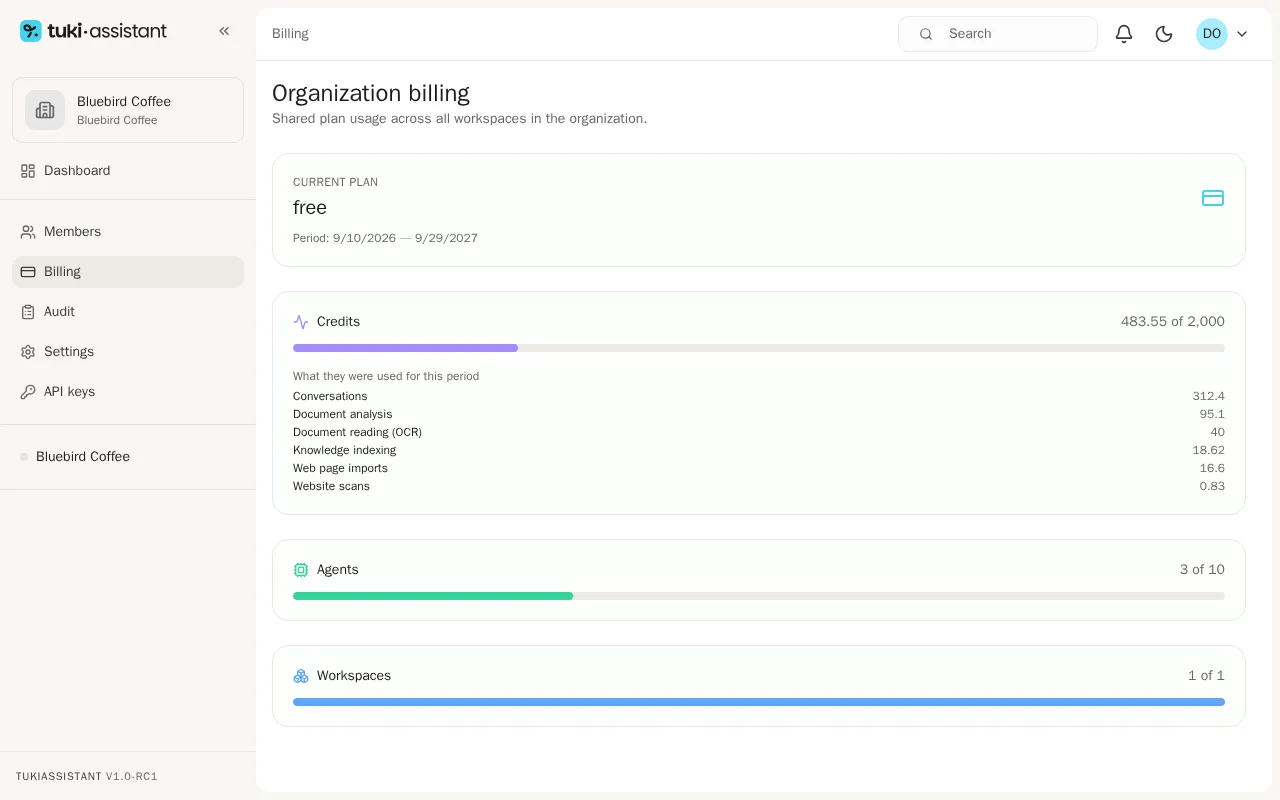
Open your organization and, in the sidebar, go to Billing. Under Current plan you see your plan and the period dates.
-
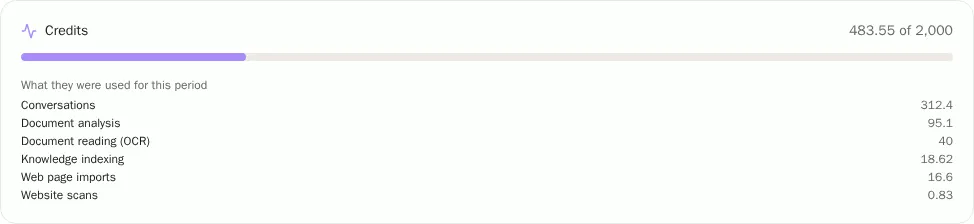
Under Credits you see how many credits you used out of your plan’s total this period.
-
Below it, What they were used for this period shows the breakdown: conversations, document analysis, document reading (OCR), knowledge indexing, web page imports, and website scans.
When you get close to the limit
- When you reach 80% of the period’s credits, admins get a notification.
- At 100%, TukiAssistant refuses operations that use credits: your agents don’t answer new questions, and you can’t analyze documents or import web pages.
- Credits renew at the start of each period. Unused credits don’t carry over.